
A phone touchscreen can stop responding at the worst possible time. You may tap an app and nothing happens, swipe across the screen without a response, or find that only one part of the display is accepting touch. Sometimes the problem affects the entire screen, while in other cases only a small area stops working.
A touchscreen problem does not always mean that the display needs to be replaced. A software glitch, dirty screen, moisture, a damaged screen protector, or even a faulty charging accessory can sometimes affect touch response.
Understanding what is causing the problem can help you decide what to try before taking the phone for repair.
Why Is My Phone Touchscreen Not Working?
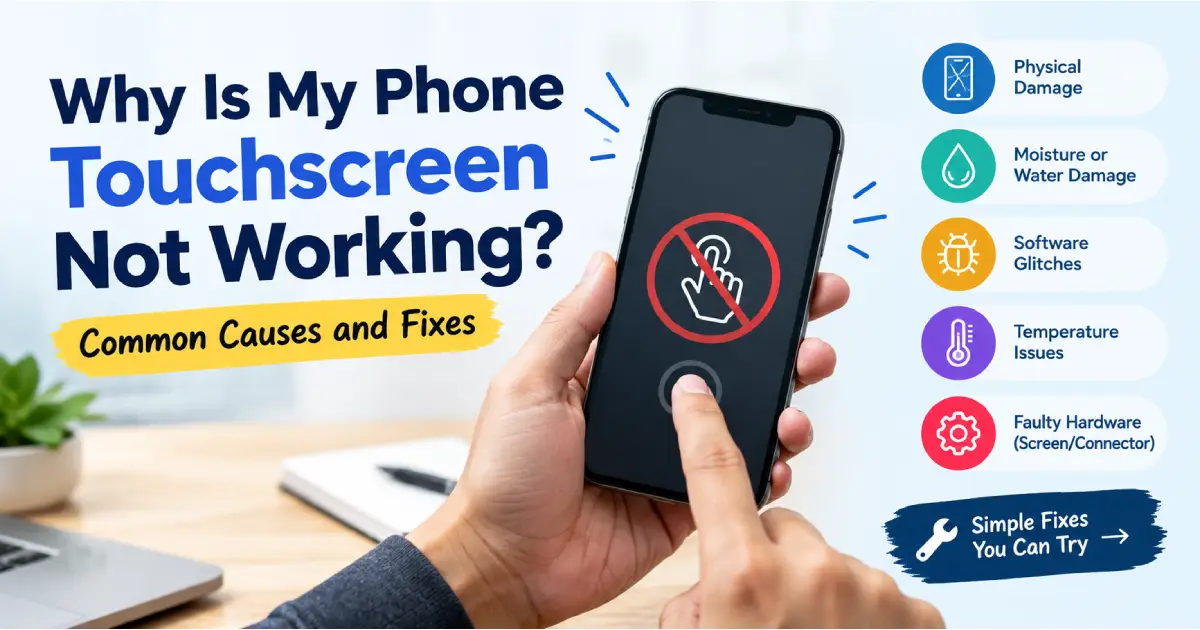
There are several possible reasons a touchscreen may stop responding. The most common ones include software problems, physical damage, moisture, overheating, faulty accessories, and problems with the touch-sensitive layer inside the display.
If the phone was recently dropped or exposed to water, hardware damage is more likely. If the problem started suddenly without any physical damage, it may be worth trying a few basic troubleshooting steps first.
1. The Screen May Be Dirty or Wet
It sounds simple, but dirt, oil, sweat, and moisture can interfere with touch response.
The touchscreen detects changes when your finger touches its surface. A layer of water, heavy dirt, or oil between your finger and the screen can sometimes make taps and swipes unreliable.
Clean the screen gently with a soft, dry microfiber cloth. If the phone is wet, allow the surface to dry completely before using it.
Also check your hands. Using a touchscreen with wet fingers can sometimes cause missed or inaccurate touches.
2. Restart the Phone
A temporary software problem can make the touchscreen appear to stop working.
If you can still use the power menu, restart the phone normally. A restart closes background processes and reloads the operating system and display-related services.
If the touchscreen is completely unresponsive, you may need to use the phone's force-restart button combination. The exact method varies between manufacturers and models.
If the touchscreen works normally after restarting, keep an eye on it. If the same problem repeatedly returns, there may be an underlying software or hardware issue that needs further checking.
3. Remove the Screen Protector
A damaged, poorly fitted, or very thick screen protector can sometimes affect touch sensitivity.
This is more likely when the protector has:
- Cracks
- Air bubbles
- Dust underneath
- Lifted edges
- Excessive thickness
- Poor alignment
If the touchscreen started behaving strangely after installing a new screen protector, removing it temporarily can help determine whether it is contributing to the problem.
Do not immediately assume the phone screen itself is damaged.
4. Check the Charging Cable and Adapter
Have you noticed that the touchscreen becomes unresponsive only while the phone is charging?
A poor-quality charger, damaged cable, or electrical interference can sometimes cause unusual touch behaviour. You may notice ghost touches, delayed responses, or inaccurate taps.
Try disconnecting the charger and using the phone normally.
If the problem disappears when the phone is unplugged, try a different compatible charger and cable. If the issue continues with different accessories, the phone itself may need inspection.
5. Your Phone May Be Too Hot
Phones can become warm during gaming, video recording, navigation, fast charging, or prolonged use in direct sunlight.
Excessive heat can affect how the phone behaves, including the responsiveness of the touchscreen.
If the phone feels unusually hot, stop using it for a while and allow it to return to a normal temperature. Avoid putting a hot phone in a refrigerator or using extreme cooling methods, as sudden temperature changes can create other problems.
If touchscreen problems regularly occur when the phone becomes warm, it is worth having the device checked.
6. Check Whether Only One Part of the Screen Is Not Working
A useful test is to slowly drag your finger across the entire screen.
Try opening a drawing app or another application where you can move your finger continuously across the display. Check whether the touch stops responding in a particular area.
If most of the screen works but one strip or section does not, the problem may be related to the touchscreen's digitizer.
This can happen after a drop, pressure damage, or deterioration of the display assembly.
A dead section of touch is generally different from a temporary software problem because the same area tends to remain unresponsive across different applications.
7. A Recent Drop May Have Damaged the Touch Layer
Your phone does not need a cracked screen to have internal display damage.
A fall can damage the touchscreen digitizer underneath the outer glass. The display may still show images perfectly while the touch function stops working in part or all of the screen.
You may notice other signs such as:
- Touch working only in certain areas
- Delayed touch response
- Random taps
- Lines on the display
- Flickering
- Black spots
- Display going completely blank
If the problem appeared immediately after dropping the phone, physical damage should be considered even if the glass looks normal.
8. Water or Moisture Can Affect Touch Response
Moisture can cause strange touchscreen behaviour. A phone that has been exposed to rain, spilled liquid, humidity, or accidental water contact may develop touch problems.
If the phone has recently become wet, avoid repeatedly turning it on to check whether it is working.
Do not use a hair dryer or direct heat to dry it. Heat can damage components and adhesives inside the phone.
Water can also cause corrosion that may not appear immediately. If touch problems start after liquid exposure, professional inspection is safer than continuing to use the device normally.
9. A Software Update Could Be Involved
Sometimes touchscreen problems begin after a system update or installation of a new application.
This does not automatically mean the update has physically damaged the screen. A software compatibility problem or temporary system error can affect how touch input is processed.
Check whether your phone has another pending system update. If the problem started immediately after installing a particular application, removing that application may also help.
If the touchscreen is still unresponsive after normal software troubleshooting, the problem may be hardware-related.
10. Ghost Touch Is a Different Problem
Not every touchscreen issue involves a screen that refuses to respond.
Sometimes the opposite happens: the phone starts registering touches that you did not make.
This is known as ghost touch.
The phone may open applications, type characters, scroll, or press buttons by itself. Ghost touch can be caused by moisture, a damaged display, a faulty charger, or problems with the touchscreen digitizer.
If the phone is making random touches, disconnect the charger first and check whether the behaviour stops. If it continues, the display and touch hardware may need to be inspected.
Can a Non-Working Touchscreen Be Repaired?
That depends on the cause.
If the problem is caused by dirt, moisture on the surface, a screen protector, charger, or temporary software issue, you may be able to solve it without replacing any hardware.
However, if the digitizer or display assembly has been physically damaged, repair may require replacement of the affected component.
Some phones have the touch layer integrated with the display assembly. In these models, a touchscreen problem may require a complete screen assembly replacement rather than a separate digitizer repair.
A technician can check the device and determine what has actually failed before recommending a repair.
What Should You Do If the Touchscreen Is Completely Dead?
If nothing on the screen responds, start with the basics.
Disconnect the charger and accessories. Check the screen for moisture or physical damage. Try a force restart using the manufacturer's recommended button combination.
If the phone turns on but the touchscreen remains completely unresponsive, avoid repeatedly pressing the screen or trying to open the phone yourself.
If there is important data on the device, you should also avoid unnecessary actions that could make the situation worse.
A professional inspection can help determine whether the problem is with the display, digitizer, connector, software, or another internal component.
Final Thoughts
A touchscreen that stops working does not always mean you need a new screen. Simple problems such as moisture, dirt, a damaged screen protector, excessive heat, or a faulty charger can sometimes affect touch response.
However, if the problem started after a drop, water exposure, or pressure, or if only a particular section of the screen has stopped responding, the touchscreen hardware may be damaged.
Try the basic checks first, but avoid pressing, heating, bending, or opening the phone yourself. If the problem continues, getting the phone inspected can help identify the actual cause instead of replacing parts unnecessarily.
If visiting a repair shop is inconvenient, Ongofix is the fastest doorstep mobile repair services provider, bringing mobile repair assistance to your home or office. Whether the issue is an unresponsive touchscreen, damaged display, ghost touch, or another phone problem, a technician can check the device and explain the repair needed. This can be a practical option when you want your phone checked without spending time travelling to a repair centre.