
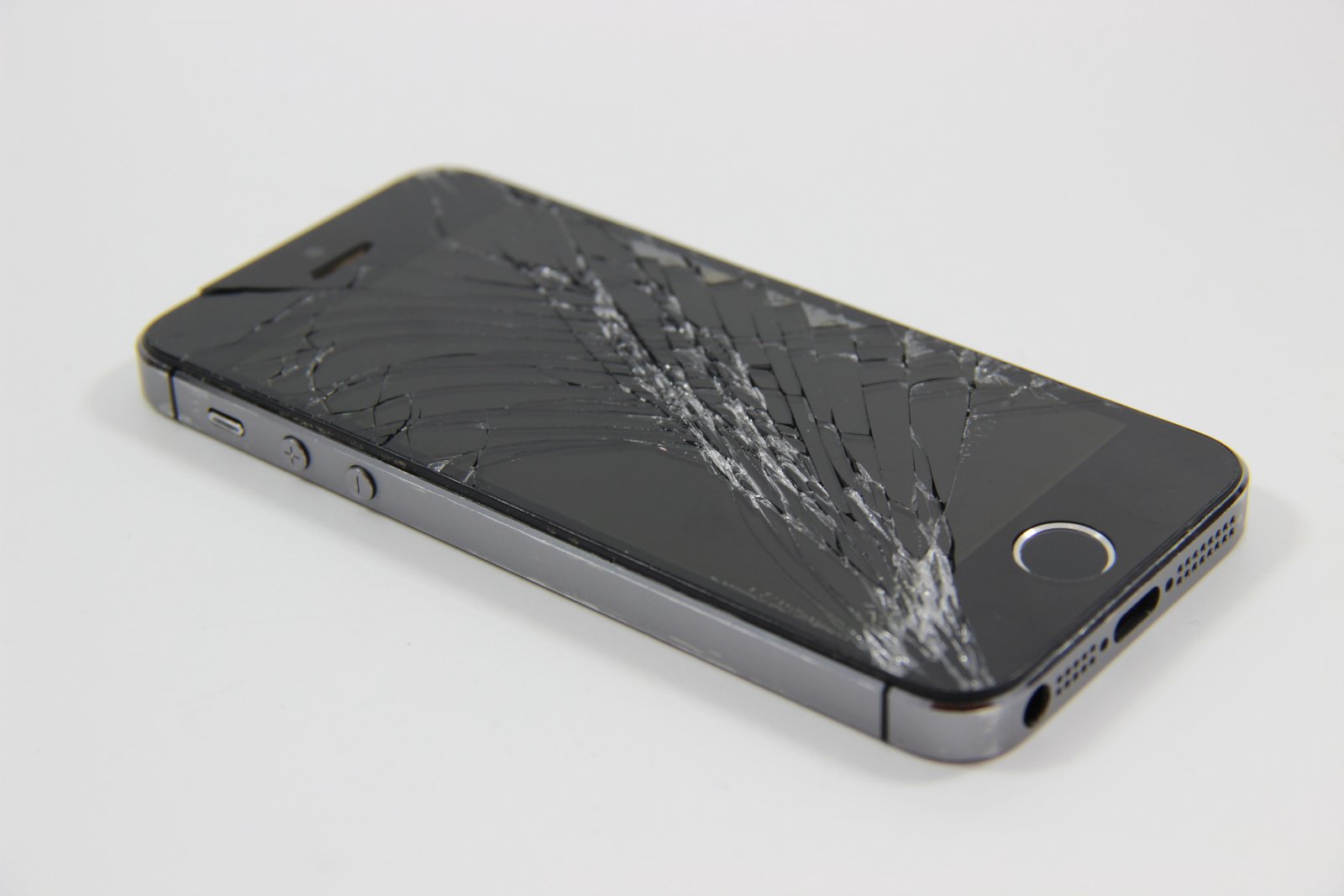
Most people notice a cracked phone screen right away. It’s in your face. Hard to ignore.
But the back glass? That’s different. It’s easier to shrug off. The phone still works. The screen lights up. Calls go through. So you tell yourself it’s fine. For now.
That hesitation is common and understandable. But a cracked back glass isn’t just a cosmetic problem. In many cases, it’s the first sign of deeper trouble that can get expensive if ignored.
If you’re unsure whether your phone actually needs a back glass replacement, here are five clear signs that waiting is no longer a good idea.
1. The Crack Is Spreading (Even If Slowly)
Back glass cracks don’t stay put. What starts as a thin hairline near the corner often creeps outward over time. Temperature changes, pocket pressure, small drops on soft surfaces—all of it adds stress to already weakened glass.
You may not notice the spread daily, but one day you look closely and realize the crack has branched out like a spiderweb.
This matters because:
- Structural integrity keeps decreasing
- Small impacts cause larger breakage
- Repair becomes more complicated if internal components get exposed
Once a crack begins spreading, it’s not stable anymore. It’s actively failing.
2. Sharp Edges or Glass Chips Are Forming
Run your finger lightly across the back of your phone. If you feel rough edges, tiny glass splinters, or flakes coming loose, that’s a problem you shouldn’t ignore.
Beyond being uncomfortable, broken glass can:
- Cut your fingers or palm
- Tear pockets or bags
- Shed tiny shards you don’t even notice until later
Many people try to “solve” this by using a thick case. That can help temporarily, but loose glass underneath continues to weaken. Eventually, even the case won’t protect you from further damage or injury.
3. Wireless Charging Has Become Unreliable
If your phone supports wireless charging and it suddenly:
- Charges only at certain angles
- Stops and starts randomly
- Heats up more than usual
The back glass could be the reason.
Wireless charging depends on clean alignment between the charging coil and the pad. Cracked or displaced back glass can interfere with that connection. Even small internal shifts caused by impact can affect performance.
This is often one of the first functional signs that the damage is more than surface-level.
4. Moisture or Dust Is Getting Inside
Back glass isn’t just about looks—it’s part of your phone’s sealing system.
Once it cracks:
- Water resistance is compromised
- Dust enters more easily
- Humidity can slowly affect internal components
You may not notice immediate damage. Phones rarely fail the moment moisture gets inside. Instead, corrosion builds quietly. Buttons become unresponsive. Cameras fog up. Charging ports act strange.
By the time symptoms appear, repair options are limited and costly. Replacing the back glass early can prevent all of that.
5. The Phone Feels Weaker or “Hollow”
This one is subtle, but many users describe it the same way. The phone feels less solid. Maybe it flexes slightly when pressed. Maybe it sounds different when tapped.
That’s because cracked glass no longer distributes pressure evenly across the frame. Internal components take more stress than they’re designed for.
If your phone feels fragile in a way it didn’t before, trust that instinct. Something has changed—and it’s not going to fix itself.
Why Ignoring Back Glass Damage Usually Costs More Later
It’s tempting to delay replacement. After all, the phone still works. But cracked back glass often leads to:
- Battery damage due to exposure
- Camera lens contamination
- Charging issues
- Frame bending over time
What could have been a straightforward back glass replacement turns into multiple repairs or even a full device replacement.
In most cases, acting early is the cheaper, safer choice.
You Just Use a Case and Forget About It?
A protective case can hide the damage. It can even prevent cuts. But it doesn’t stop:
- Crack expansion
- Moisture entry
- Internal stress buildup
Think of it like covering a cracked wall with wallpaper. It looks fine for a while, but the structure underneath is still compromised.
Cases are a temporary workaround, not a solution.
When Replacement Makes Sense
You should strongly consider replacing the back glass if:
- Cracks are visible or spreading
- Glass is chipping or sharp
- Wireless charging is inconsistent
- The phone has lost water resistance
- You plan to keep the phone long-term
Modern back glass replacement, when done properly, restores both function and feel. The phone becomes solid again. Safe to handle. Reliable.
A Note on Getting It Repaired (Without the Sales Talk)
Back glass replacement isn’t something to experiment with. It requires proper tools, controlled heat, and precision especially on newer phones where components sit close to the glass.
If you decide to get it fixed, look for technicians who:
- Replace only what’s necessary
- Preserve internal components
- Don’t rush the process
A careful repair lasts. A rushed one causes more problems than it solves.
Final Thoughts (And a Quiet Recommendation)
A cracked back glass is easy to ignore because it doesn’t scream for attention the way a shattered screen does. But over time, it quietly affects safety, performance, and durability.
If you’ve noticed one or more of the signs above, replacing the back glass sooner rather than later can save you money and frustration.
And if you’re already considering a repair, choose a service that treats it as a restoration, not a quick patch. The goal isn’t just to make the phone look better. It’s to make it solid, safe, and dependable again like it was meant to be.